
Net Terms feature
The Net Terms feature allows selected customers to place orders without paying immediately.
What is Net Term Add-On?
The Net Terms feature allows selected customers to place orders without paying immediately. Instead, they are given a specific number of days (e.g., 15, 30, 60 or custom days) to pay the invoice after placing the order.
You can also show different payment terms to different customers based on their assigned tags.
The Net Term add-on is especially helpful for wholesale or B2B customers who order in bulk and prefer flexible payment timelines.
Shopify provides several standard payment terms by default (see below). If you require a different term, you can add custom days through the Net Terms Dashboard.
Here are the predefined (default) payment term options in Net term add-on and Shopify:
• Due on receipt
• Due on fulfillment
• Net 7 (payment due in 7 days)
• Net 15 (payment due in 15 days)
• Net 30 (payment due in 30 days)
• Net 45 (payment due in 45 days)
• Net 60 (payment due in 60 days)
• Net 90 (payment due in 90 days)
• Custom (you can define your own term)
Note
Customers who select any net payment option will automatically receive reminders from Shopify based on the selected payment option.
Application dashboard interface for NET Terms
Please see the screenshot below:
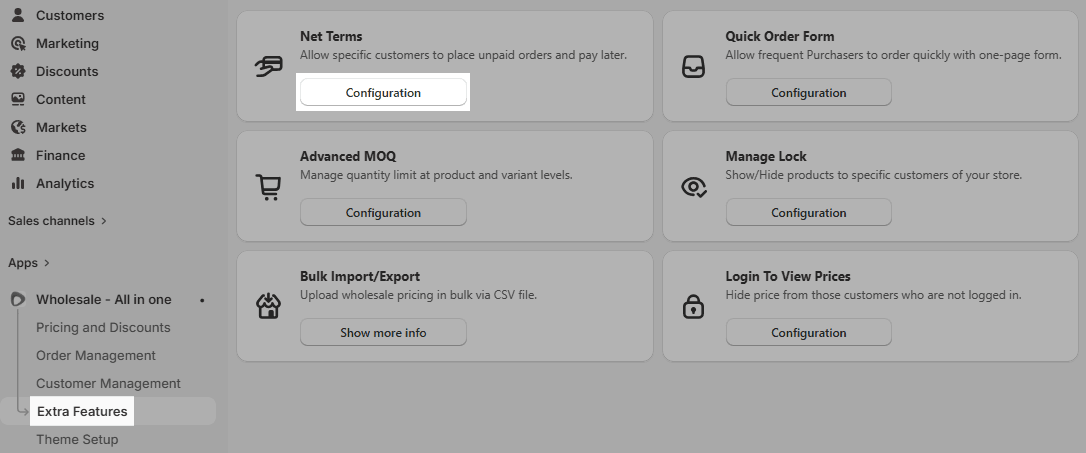
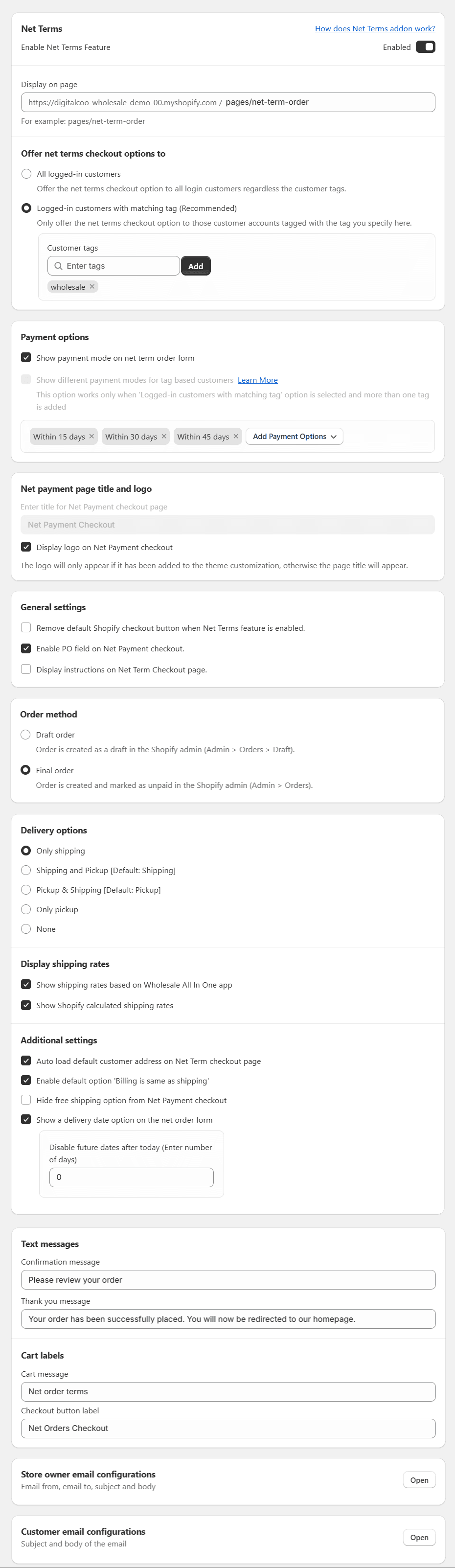
Try Demo on our Test Store
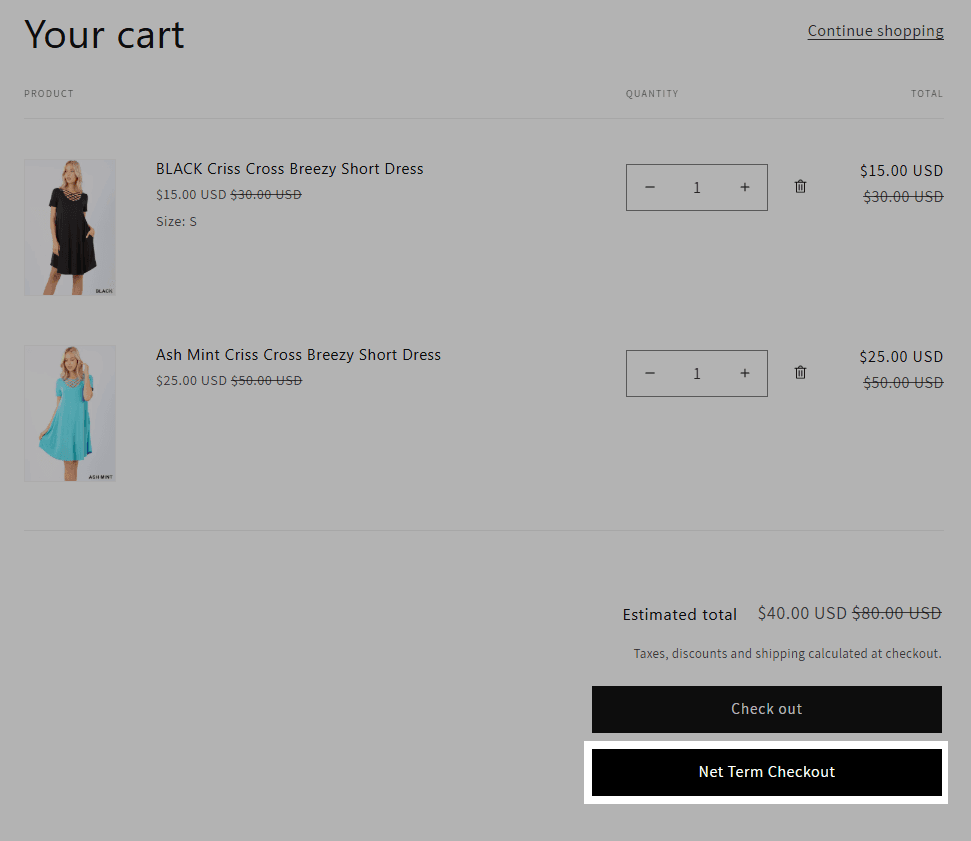
1. CLICK HERE and login as DEMO USER. 2. CLICK HERE to visit the product page and add a product to cart by clicking the 'ADD TO CART' button. 3. On the cart page you will see a separate 'NET Checkout' button, see the screenshot below.
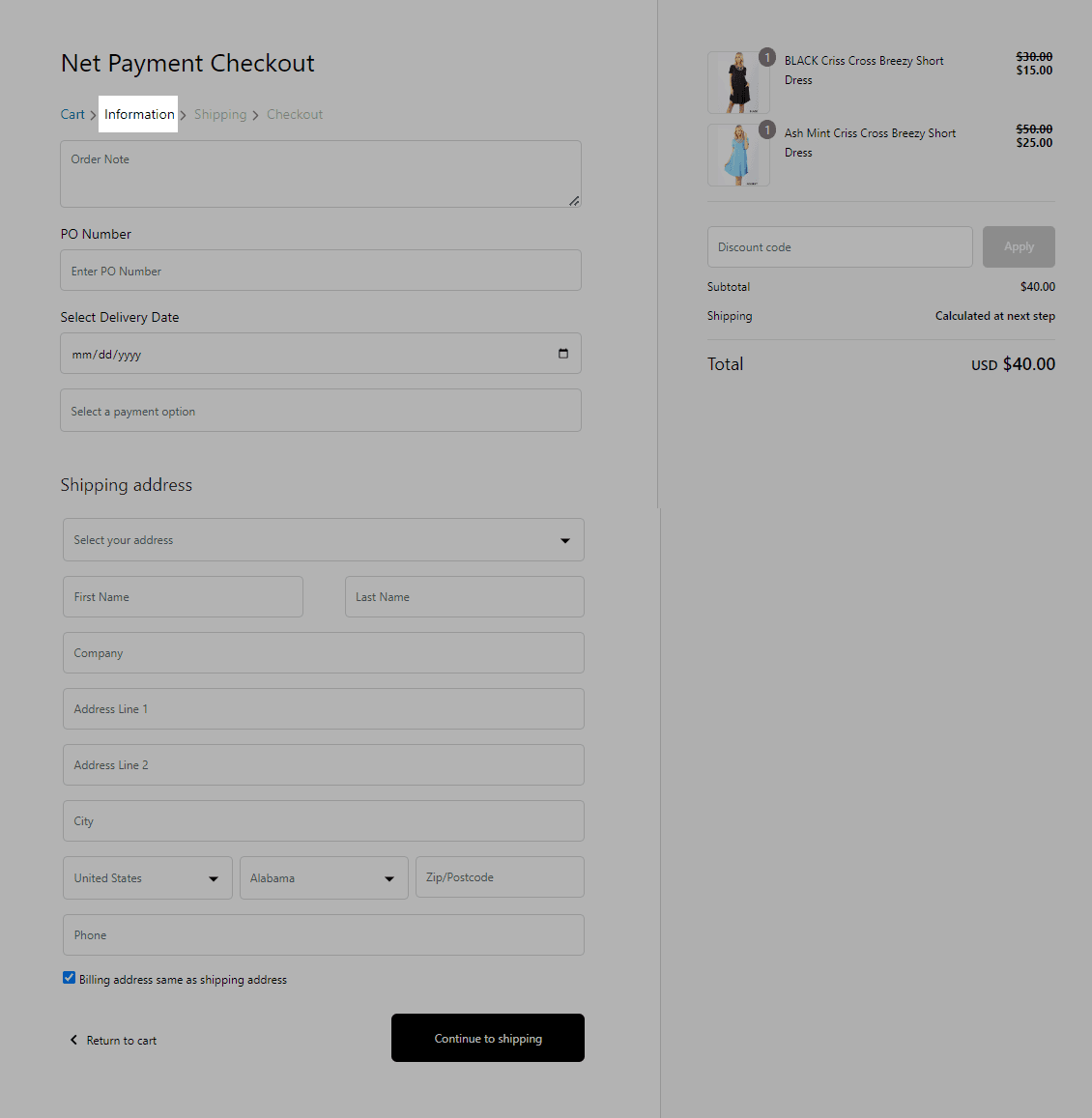
Net Term Checkout page [Information section]:
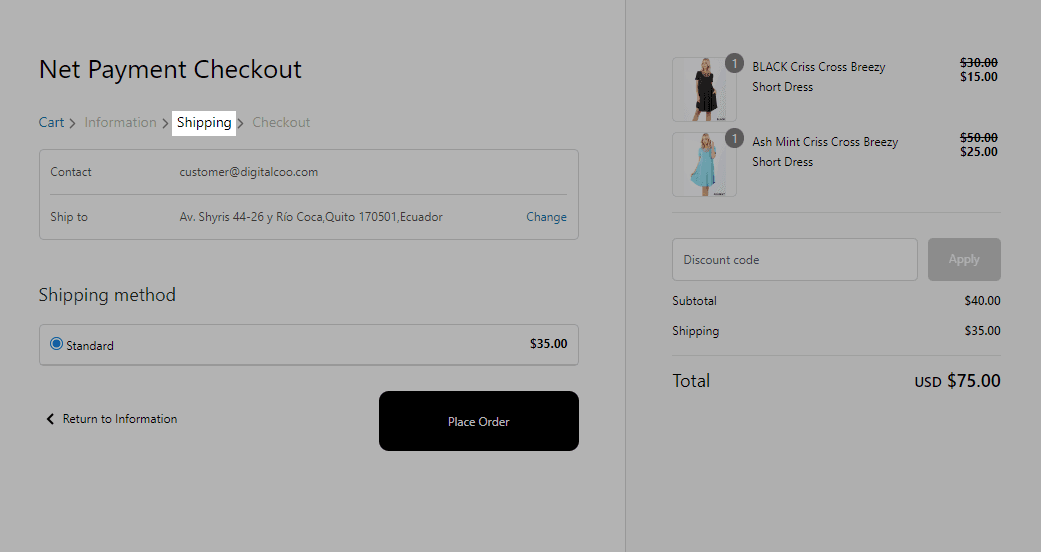
Net Term Checkout page [Shipping section]:
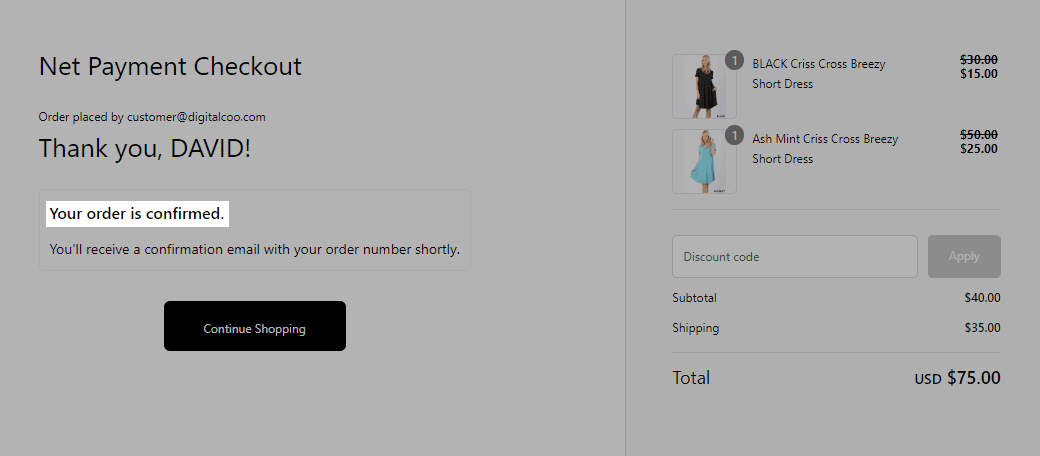
Net Term Checkout page [Order confirmation section]:
Net Term addon activation
You can activate the Net Term add-on from the dashboard of the Wholesale All-In-One application. CLICK HERE to read the step-by-step guidelines to activate the Net Term add-on.
Frequently Asked Questions
Can we change the Net Term Checkout button label?
Yes, You can change the 'Net Term Checkout' button label from the Net Term addon section under the Wholesale All In One application dashboard according to your requirements such as 'Net Payment Checkout', 'Net Terms Checkout', 'Credit Terms Payments', 'Pay With Invoice' labels, etc.
Can we disable the normal checkout for Net Term enabled customers?
Yes, you can enable or disable the normal Shopify checkout button when Net Term checkout button is enabled for the customers.
Can we show the Net payment checkout button to specific tagged customers?
Yes, You can change the Net Term configuration from the Wholesale AIO application dashboard to show the Net Payment checkout button to specific tag customers.
For Example: If you want to enable 'Net payment checkout' for 'wholesale' tagged customers, then only those customers who are logged in with 'wholesale' will see the 'Net payment checkout' button. While all those customers who don't have a 'wholesale' tag will not see the net payment checkout button.
I don't want to offer net terms, only Cash on Delivery (COD) and Check. Can the net terms add-on be customized to omit everywhere that it mentions "Net Terms"?
The Net Term addon is fully customizable, you can remove the Net Term options, and add new options such as "Cash on Delivery (COD)" and "Check" from the Wholesale All In One application dashboard under the Net Term section.
Got a question? Please write an email, Contact US
Frequency Asked Questions:
Question #1: Is it possible to assign a certain Net checkout option based on a customer tag?
The wholesalers assigned to a group - some are Net15, some Net30, some Net60 and wants them to be led to the correct checkout, not to choose their Net option from a dropdown list.
Answer #1: Yes, It's possible. We can help you to show only specific Net Option based on assigned tag. Examples are: Net 15 Payment option for 'Net15' tagged customers. Net 30 Payment option for 'Net30' tagged customers. Net 45 Payment option for 'Net45' tagged customers. Net 60 Payment option for 'Net60' tagged customers. etc.
Was this page helpful?